How to Convert iPhone Photos to PDF for Business and Long-Term Care Marketing
About This Article
Learn how to convert iPhone HEIC photos to PDF using Convertio. Discover practical uses for businesses, assisted living communities, nursing homes, and home care agencies, along with tips for protecting privacy and sharing documents.

Sponsored Content
LTC News sponsored content reaches an audience interested in aging, caregiving, health care, lifestyle, long-term care, and retirement planning.
Table of Contents
- Why Businesses Sometimes Need to Convert iPhone Photos
- Check the Photo Before Uploading
- How to Convert an HEIC Photo to PDF With Convertio
- Find and Save the PDF on Your iPhone
- Check the Converted PDF Before Sharing
- What if You Have Several Photos?
- How Long-Term Care Providers Can Use HEIC-to-PDF Conversion
- Community Events and Activities
- Marketing Presentations and Promotional Materials
- Staff Recognition and Recruitment
- Facility Improvements and Business Documentation
- Protect Resident and Patient Privacy
- Understand Convertio's Free Access and File Storage
- Choosing the Right Format for the Job
A marketing director at an assisted living community has just finished photographing a fall festival. Residents enjoyed refreshments, family members visited, and the activities team organized an afternoon of entertainment. Some of those photographs may be useful for the community newsletter, a promotional presentation, or an event report for management. But there's a problem: The pictures were taken on an iPhone, and the person receiving the report wants a PDF.
It's a common issue, and not just in senior living. Businesses, nonprofit organizations, and individuals regularly need to share photographs in formats that recipients can open, review, and save. Many iPhones save photos in HEIC format, which reduces file sizes while maintaining image quality. Although HEIC works well on Apple devices, some business systems and document submission portals may not accept it.
One option is Convertio's HEIC-to-PDF converter, an online service that changes an uploaded iPhone photograph into a downloadable PDF. The process takes only a few steps, but choosing the right photos, reviewing the final document, and protecting personal information matter as much as the conversion itself.
Why Businesses Sometimes Need to Convert iPhone Photos
A photograph that looks perfectly fine on an iPhone may not work with the software used by another organization. An employee submitting an expense report might discover that the reimbursement portal accepts PDF attachments but not HEIC images. A contractor may need to provide photographic documentation of completed work. A marketing employee might need to include event photographs in a PDF report.
Converting the image to PDF can solve that compatibility problem without requiring the recipient to install special software. However, a PDF isn't automatically better for every purpose. If the photograph will appear on a website, in an advertisement, or on social media, a conventional image format such as JPEG, PNG, or WebP may be more appropriate. The goal is to choose a format that works for the intended use.
Check the Photo Before Uploading
Before converting a photograph, make sure it contains everything the recipient needs. For a business receipt, check that the merchant's name, date, individual charges, and total are readable.
For a photograph documenting a facility improvement, make sure the relevant area is clearly visible. If the image is intended for a marketing report, check its orientation, lighting, and overall appearance. Also review the recipient's requirements. Some systems accept only PDF documents, impose file-size limits, or allow just one attachment.
If the original HEIC file is available, use it rather than a lower-quality copy from a messaging application. Changing a filename from .heic to .pdf does not actually convert the file.
How to Convert an HEIC Photo to PDF With Convertio
Convertio works through a web browser, so you can use it on an iPhone or computer without installing a separate conversion application.
Follow these steps:
- Open the conversion page. Visit Convertio's HEIC-to-PDF tool in Safari or another browser.
- Choose the photograph. Select Choose Files and locate the HEIC image on your device. The available selection options depend on your browser and device.
- Confirm the output format. Make sure PDF is selected as the desired file format.
- Start the conversion. Select Convert. The photograph is uploaded to Convertio's servers for processing.
- Download the PDF. Once the conversion is complete, select Download and save the finished document.
- Review the result. Open the PDF to make sure the image appears correctly and that the file meets the recipient's requirements.
Convertio also supports selecting files from Google Drive and Dropbox, although organizations should follow their own policies before connecting business accounts or uploading company files.
For occasional conversions, starting with one photograph makes it easier to confirm that the process works as expected.
Find and Save the PDF on Your iPhone
After downloading the converted document, you'll need to locate it before attaching it to an email, report, or online form. Apple explains that downloaded files are generally available through the Files app.
Open Files, select Browse, and look for the Downloads folder. Depending on your settings, downloads may be stored in iCloud Drive, On My iPhone, or another selected location. You can also use Safari's Downloads button to find recently downloaded files.
Apple provides instructions here: Where to Find Downloads on Your iPhone or iPad
If the PDF opens directly in Safari, use the Share option and select Save to Files. Give the document a descriptive name, such as community-event-october.pdf or office-supplies-receipt.pdf.
Clear filenames make documents easier to identify, especially when a business handles numerous photographs and reports.
Check the Converted PDF Before Sharing
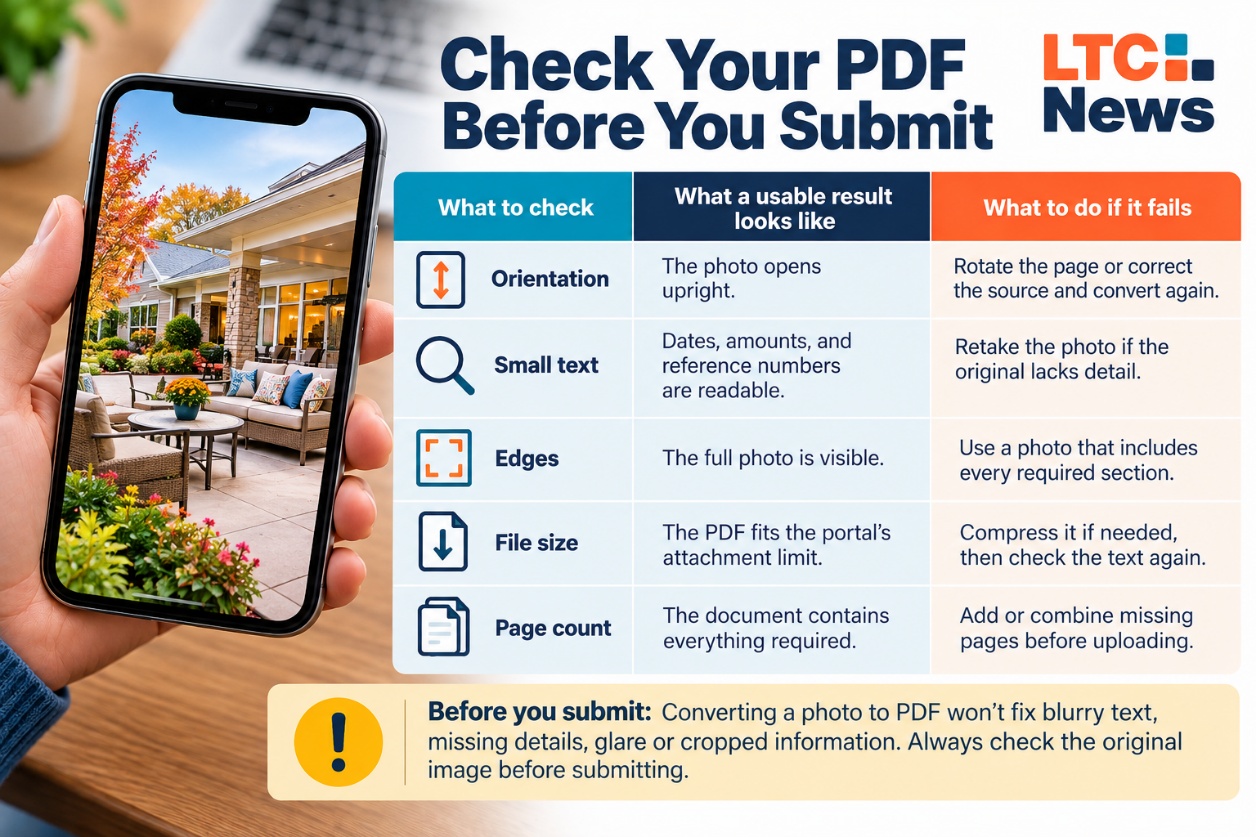
A successful conversion doesn't guarantee that the document is ready to send. Open the downloaded PDF and review the following details.
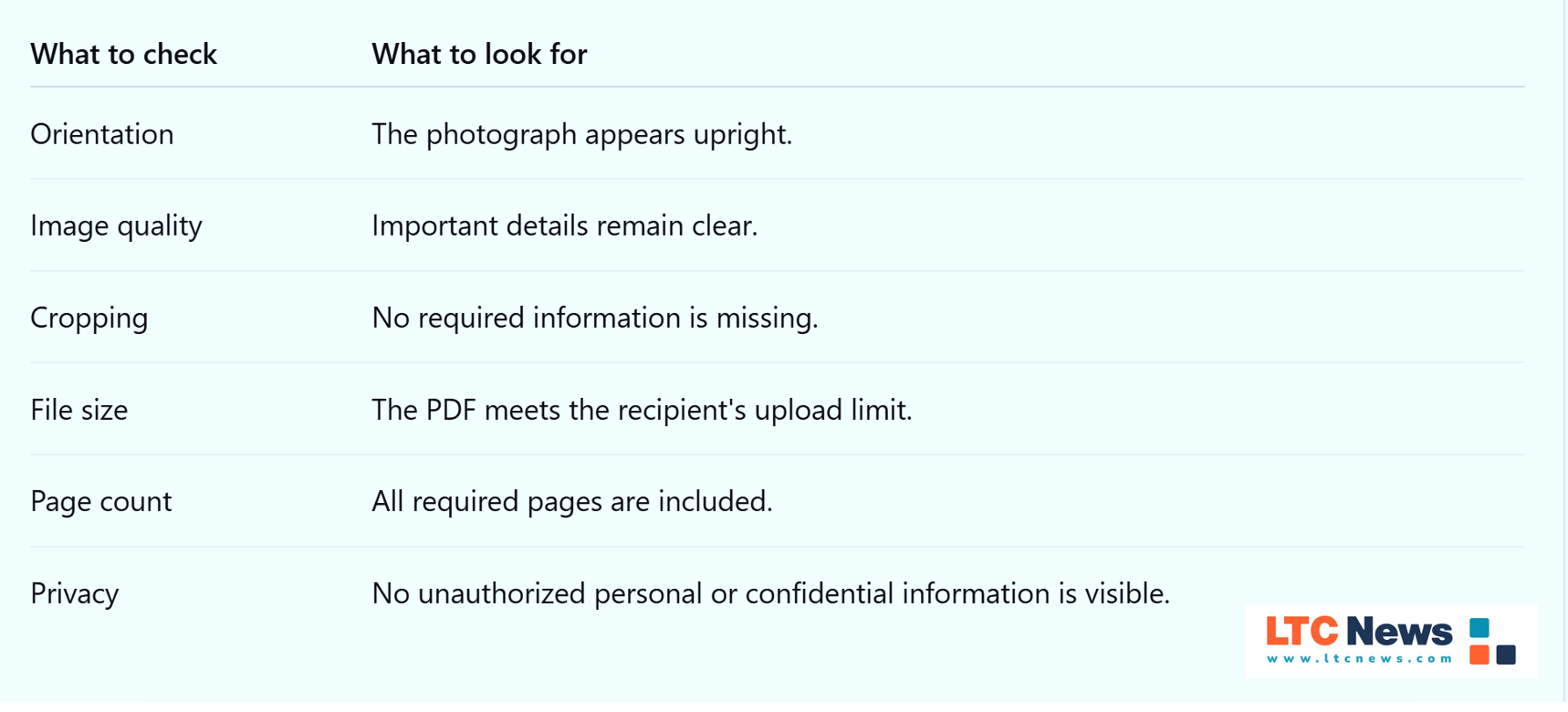
If the original photograph is blurry, converting it to PDF won't restore missing details. Likewise, converting an image doesn't automatically make printed words searchable or editable.
What if You Have Several Photos?
A marketing department may need to submit several photographs from one event. An employee may have multiple receipts associated with the same expense report. Convertio allows users to upload multiple HEIC files for conversion. However, that doesn't necessarily mean the resulting download will be a single multipage PDF. Check the downloaded files before submitting them.
If you receive separate PDFs and need one document, use an approved PDF-merging application to combine them. Arrange the pages in the appropriate order, save the combined document, and check the result.
For marketing reports, consider whether a document editor or presentation program would provide a more professional layout than simply combining individual photographs.
How Long-Term Care Providers Can Use HEIC-to-PDF Conversion
Marketing and communications departments at assisted living communities, memory care facilities, nursing homes, and home care agencies often rely on photographs to tell their stories. An iPhone makes it easy to capture images during community activities, employee recognition events, educational presentations, and other occasions.
Those photographs may later become part of a report, promotional packet, or printed presentation. Here are several examples of how converting HEIC photographs to PDF can help.
Community Events and Activities
Imagine an assisted living community hosting a holiday celebration or a family appreciation luncheon. The marketing director photographs decorations, refreshments, and activities. Management later requests a summary of the event with photographs.
If the reporting system requires PDF attachments, converting selected photographs can make them easier to include in the submission. The same approach may help document community improvements, special programs, and other activities.
Marketing Presentations and Promotional Materials
Long-term care providers regularly prepare materials for prospective residents, family members, referral partners and community organizations.
An assisted living marketing department might photograph a newly renovated dining room, landscaped courtyard, or common area. Those photographs can be converted to PDF when the recipient requests that format. For a polished brochure or presentation, however, the marketing team will generally want to place the original photographs into a document-design program and export the completed material as a PDF.
Converting a photograph to PDF does not automatically create a finished brochure, advertisement or marketing presentation.
Staff Recognition and Recruitment
Photographs from employee appreciation events, training sessions, and recruiting activities may be included in internal reports or presentations. For example, a home care agency might prepare a report highlighting caregiver recognition activities for company leadership.
Converting selected photographs to PDF can help when the reporting system requires that format. Before using employee photographs for public marketing, the organization should confirm that it has the necessary permissions.
Facility Improvements and Business Documentation
Not every photograph taken at a long-term care community involves residents. Maintenance teams, administrators, and marketing departments may photograph renovated rooms, new landscaping, updated signage, or other facility improvements.
These images may be useful for vendor communications, management reports, project documentation, or reimbursement requests. When an organization requires a PDF attachment, converting an ordinary HEIC photograph can provide a convenient solution.
Protect Resident and Patient Privacy
Photographs taken in long-term care settings deserve special attention. A picture from an assisted living activity may include residents who have not agreed to appear in marketing materials. A photograph taken in a nursing home could unintentionally reveal a resident's name, medical information, or other private details.
Never assume that permission to take a photograph also authorizes uploading it to an outside service or using it in advertising.
Long-term care providers should follow their organization's photography, consent, privacy, and information-security policies. For nursing homes, home health agencies and other organizations subject to HIPAA, photographs containing protected health information require appropriate safeguards. An external conversion service should not be used for protected health information unless the organization has determined that the use is permitted and any necessary agreements and safeguards are in place.
Even when HIPAA does not apply, resident privacy, state law, and company policies may restrict how photographs are shared. For sensitive material, an approved local conversion method may be the better choice.
Understand Convertio's Free Access and File Storage
Convertio offers free file conversions without requiring users to create an account, subject to service limits. Businesses processing larger files or numerous photographs should review the current limits and available plans on Convertio's website.
Because Convertio operates online, photographs are uploaded to its servers for conversion. According to the company's security information, original uploaded files are deleted after processing, while converted files are automatically removed within 24 hours. Users can also manually delete converted files.
These are the company's stated practices and should not be interpreted as an independent security certification. Convertio's privacy policy provides additional information about its handling of uploaded files and service data.
For ordinary, nonconfidential photographs, an online converter may be convenient. For medical records, resident information, insurance applications, confidential employee documents, or other sensitive material, organizations should use a conversion method approved by their privacy or information-security team.
Choosing the Right Format for the Job
HEIC-to-PDF conversion is useful when a photograph needs to be submitted or shared as a document. For businesses and long-term care providers, it can simplify certain administrative tasks and help staff work with document systems that don't accept iPhone image formats. But it is only one part of a broader document-management process.
Marketing departments still need to consider image quality, appropriate permissions, document design, and the format that best serves their audience. Whether you're submitting an expense receipt, preparing a facility improvement report, or organizing photographs for a community presentation, the most useful file is one the recipient can open, understand, and use without difficulty.
Note to Long-Term Care Marketing Directors: Have you claimed/or created your free listing in the LTC News Caregiver Directory? The directory is the largest of its kind and is the “go to” for many families looking for caregivers, senior communities, and long-term care facilities in the United States, including the District of Columbia, Puerto Rico, and the U.S. Virgin Islands. Claim your free listing on the LTC News Caregiver Directory and/or upgrade the listing to enhance visibility and highlight your staff and services through the LTC News Directory Business Portal.
Frequently Asked Questions
Will the text become searchable or editable?
An image-based PDF may need optical character recognition, or OCR, before its text can be searched or extracted. Adobe’s OCR instructions explain that additional process. Review recognised amounts carefully, especially on faded receipts.
Should I keep the original photo?
Yes. Keep the HEIC alongside the submitted PDF when the receipt matters. You may need the original to make a clearer crop, correct the orientation, or prepare another version.
Will the PDF be smaller than the HEIC photo?
Not necessarily. The PDF’s size depends on how the image is stored in the document. Check the downloaded file against the submission limit. If you compress it, inspect small numbers and faint printing afterward.

Sponsored